




With the growth of SaaS platforms, there is an increasing pressure on businesses to provide high-quality onboarding material. Customers demand short and simple tutorials that can help them navigate the complicated features of the software. Conventional video production may be time-consuming, costly, and not easily scaled to variety of modules of the product. The speed of content development has become essential to the retention of customers and user engagement. Teams can now create professional instructional videos at a pace never before seen due to AI-powered solutions. The Technical Mode provided by CapCut will provide a systematic platform to build accurate walkthroughs. It makes every tutorial step understandable and visually interesting and reduces the work that is normally done in the traditional video editing processes.
What Technical Mode Provides to Tutorial Videos
Technical Mode simplifies the production of instructional video by automatically arranging the steps of tutorials. The logical sequencing of scenes makes the sequences easy to follow, as the viewers are able to follow technical instructions. You are able to insert diagrams, user interface mockups, and tooltips within each step. This simplifies SaaS workflows and eliminates the number of clarification requests made by users. The transitions between scenes are maximally technical, and the pacing is made to emphasize the most important interactions and functional aspects. In this style, the tutorial videos are professional and informative, which makes them an improved learning process to the users who navigate software platforms.
Scheduling SaaS Tutorial Scripts using CapCut AI
An effective tutorial begins with a properly laid out script. CapCut is an AI brainstorming tool that helps to map out user flows effectively. You will be able to turn technical instructions into consumable visual images and organize the content to make it easy to understand and follow. Important interactions, advantages, and stepwise descriptions can be emphasized effortlessly. At this point, planning is necessary to make sure that the resulting tutorial conveys the necessary information without overloading the viewers. By incorporating mockups and step markers in the scripting stage, it is possible to minimize the number of changes in the script later. The procedure is useful to sustain the accuracy of the instruction and speed up the production schedule.
Improving Tutorials with Captions, Overlays, and AI Narration
The AI video maker feature allows the addition of professional narrations and overlays that enhance understanding. All users can access auto-captioning. Important interactions can be highlighted with pointer animations, highlight elements, and visual cues. The tones of narration can be changed to fit an educational text, which makes the tutorial more interactive.
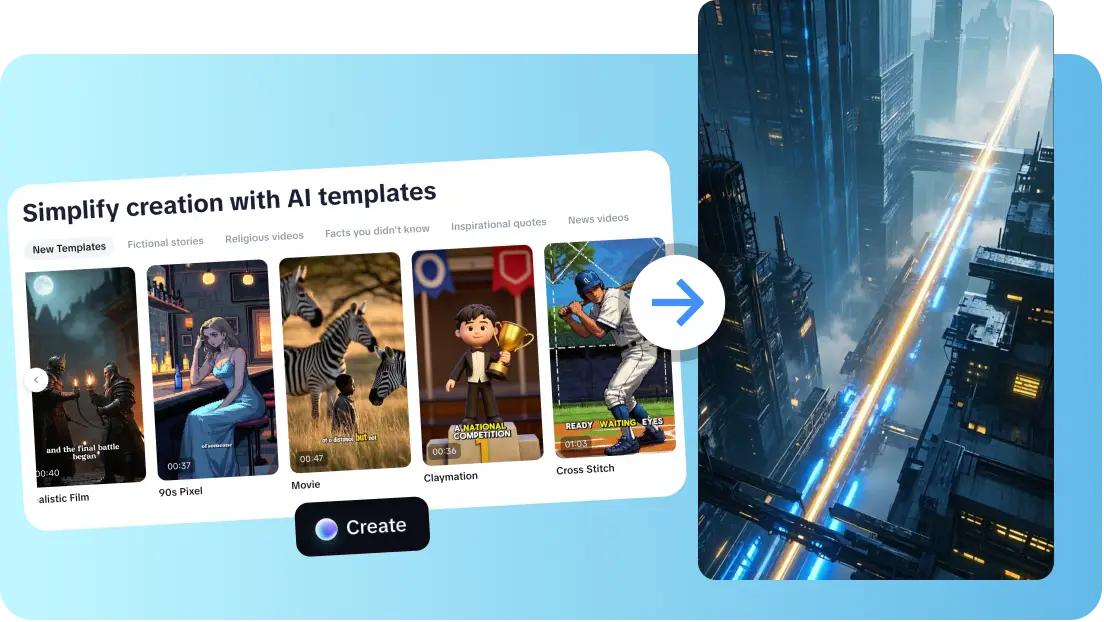
By adding these features, tutorials will be accommodative and easily visualized. Technical Mode eases the burden of complex processes by using a combination of captions, pointers and narration to convert complex processes into interactive content that is easily understood by the viewer and follows the process step by step.
Steps to Build SaaS Tutorials Fast Using the AI Video Maker Technical Mode
Step 1: Enter the Technical Video Editor
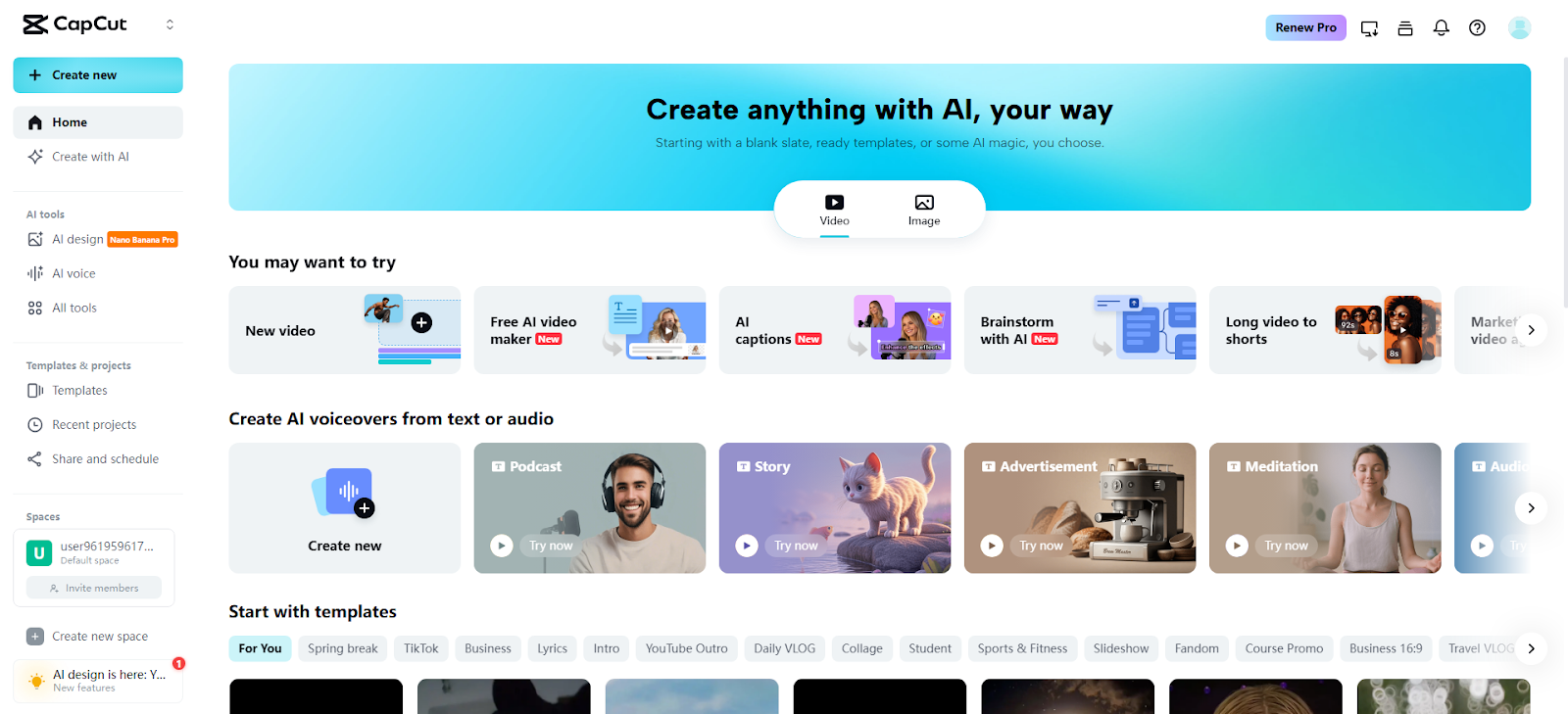
Begin by opening the CapCut online video editor and accessing the main dashboard. Click the "Free AI video maker" option to open all AI-powered video tools. Then choose "Instant AI video" to start designing SaaS tutorial content in a technical-ready workspace.
Step 2: Create the Tutorial Script and Structure
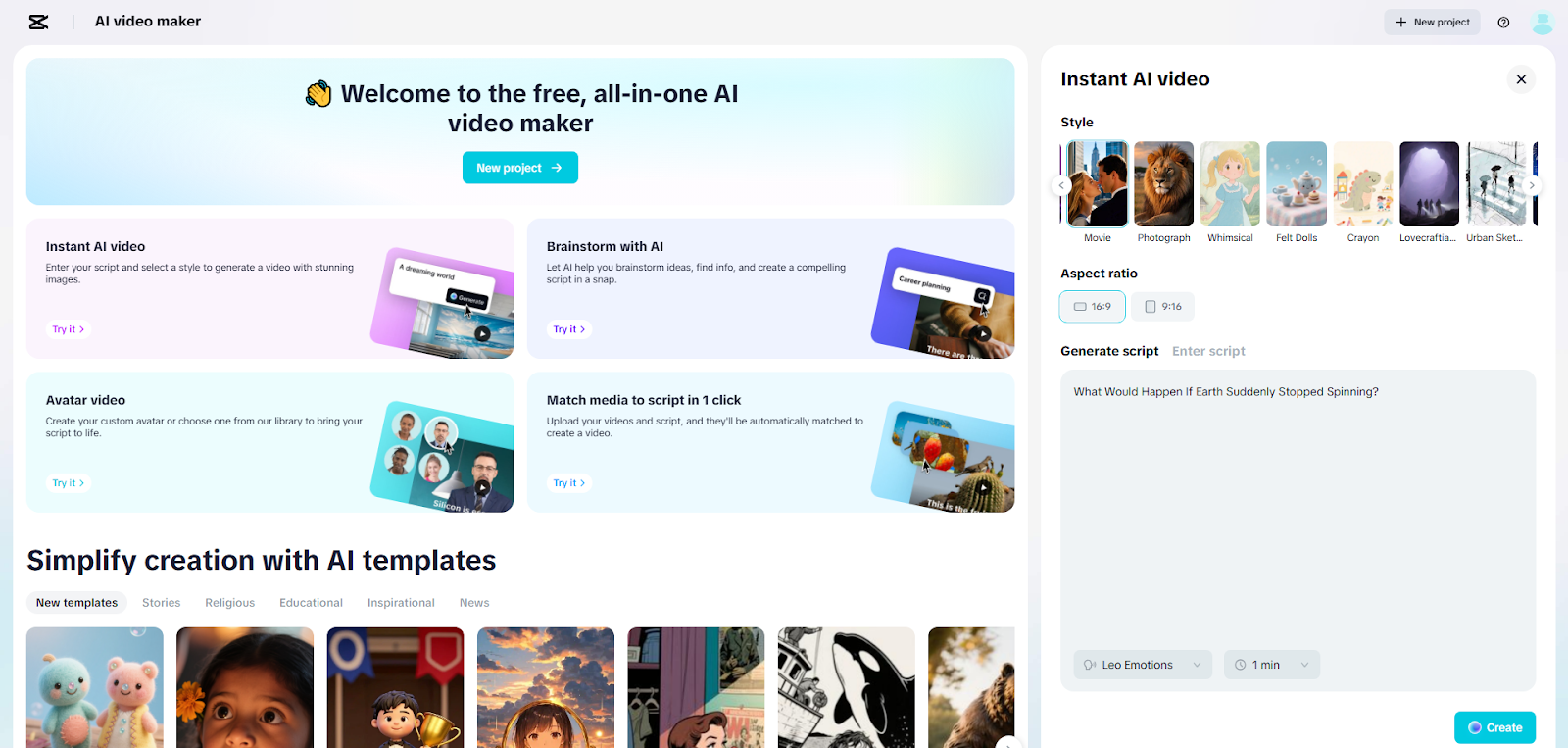
Select a clean, instructional visual style for software demonstrations. Add your tutorial steps in the "Enter script"box, or use "Generate script" to let the AI writer convert your process into a structured storyboard outline. Choose the aspect ratio such as 16:9 for desktop demos or 9:16 for mobile walkthroughs. Set the storyboard length and pick a clear narration tone. Click "Create" to generate a complete storyboard with structured scenes and visual cues.
Step 3: Add Guidance Elements and Export the Tutorial
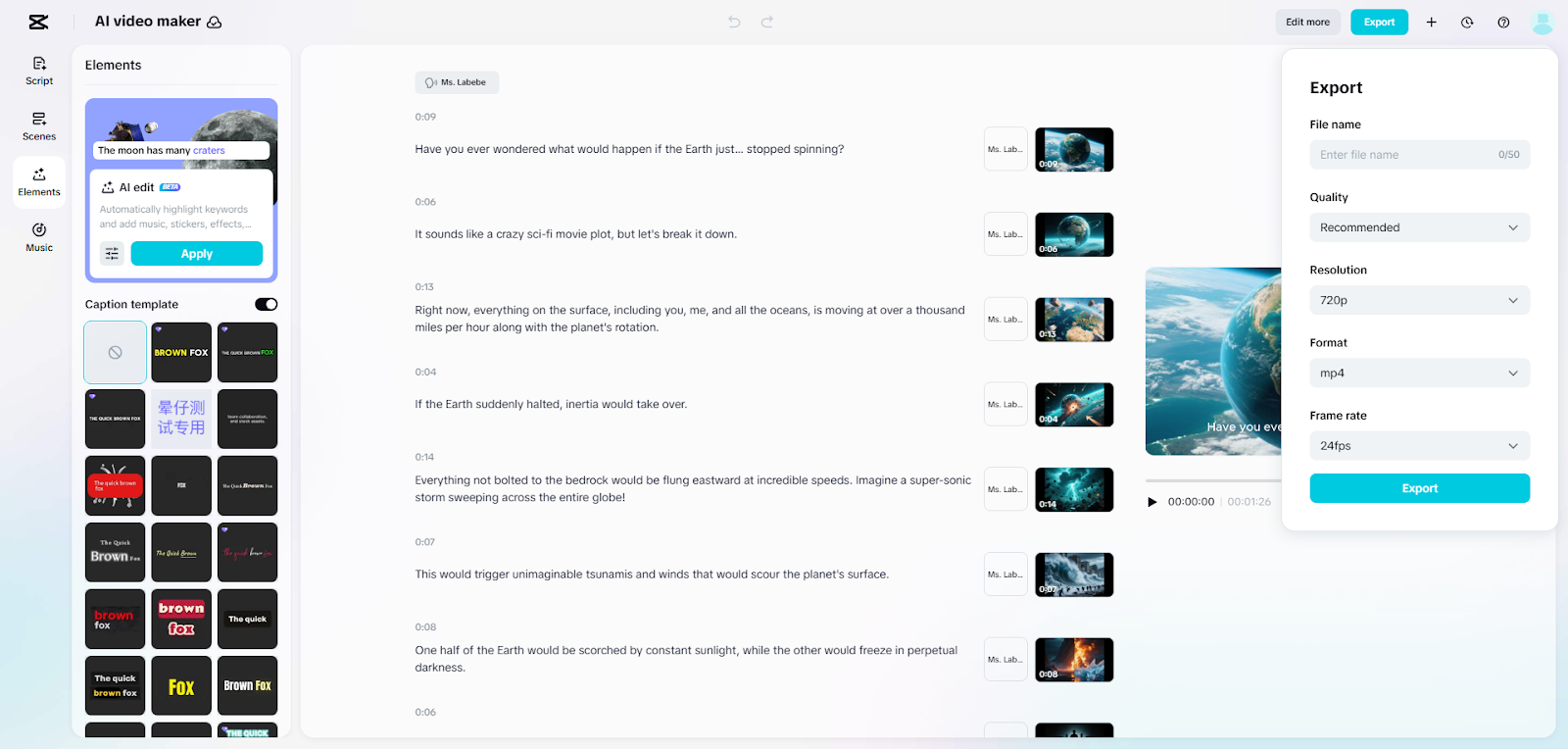
Click "Create" to open the storyboard layout. Use the "Music" panel to add subtle background audio from CapCut’s library. Head to "Elements" to choose a caption template that highlights technical steps clearly.
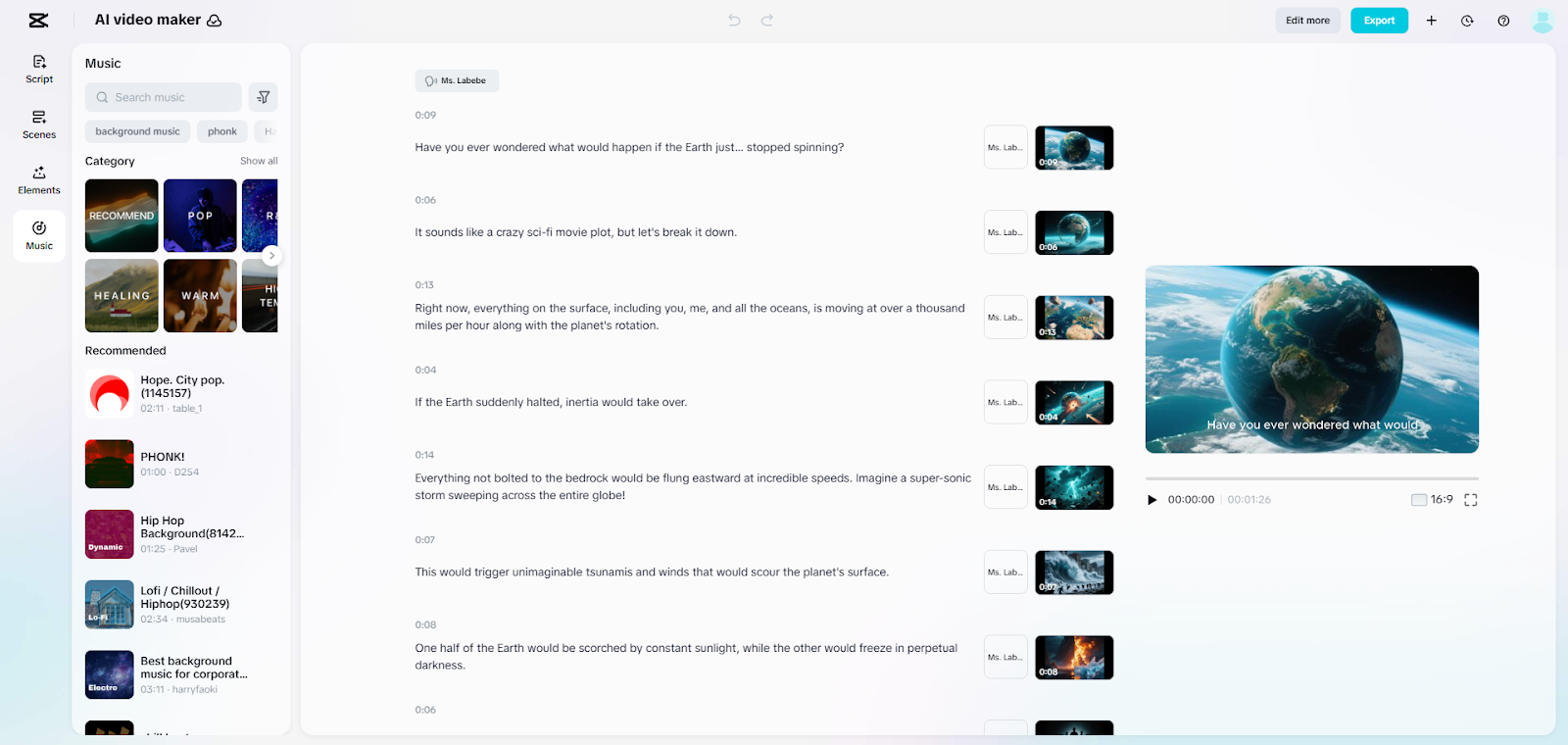
After finalizing captions, click "Export" to choose the output resolution, format, and frame rate. Click "Export" again to save the finished SaaS tutorial video
Application of Unlimited Media Assets to Demonstrate SaaS Features
CapCut is a source of unlimited media contents which are ideal to demonstrate the SaaS features. The mockups of devices, workflow icons, and UI overlays build visual-rich tutorials. Ready-to-use templates can be used to streamline the creation of API demos, dashboards, and feature walkthroughs. Abstract concepts are easier to understand since charts and diagrams are used to visualize the processes or analytics that are performed at the back-end. Such flexibility can enable teams to deliver even complex features in a well-structured, interactive manner. The use of multimedia will increase retention and minimize confusion in software tutorials that are rich in technical content. At this stage, even niche tools like Nano Banana Pro can be showcased visually, improving user comprehension and engagement.

Sizing Tutorial Writing at SaaS Suite Levels
Technical Mode facilitates scaling tutorials of various product modules effectively. Repetitive work can be reduced by reusing templates to do a similar workflow. Rapid updates enable materials to be current as products change. In a documentation team that needs to deal with large SaaS suites, Technical Mode provides presentation, pacing, and instructional accuracy. The platform makes the process of collaboration much easier and allows several contributors to keep a single video style. This productivity will lessen the bottlenecks in production so that education teams can concentrate on improving user experience instead of continuously re-creating content.
Conclusion
Technical Mode of CapCut provides systematized, accurate tutorials at a lesser cost. It expedites the process of content creation and also keeps it clear and teaching wise. Auto-organized scenes, rich media assets and AI-assisted scripting help to reduce complex SaaS functionality into easy to follow tutorials. The fast scaling, easy updates, and professional presentation in all software modules are advantageous in teams. Tutorials can be made available, interesting, and informative by incorporating captions, overlays, narration, and visual aids. In the case of SaaS education teams, CapCut is a necessity to create high-quality tutorials more quickly and efficiently.