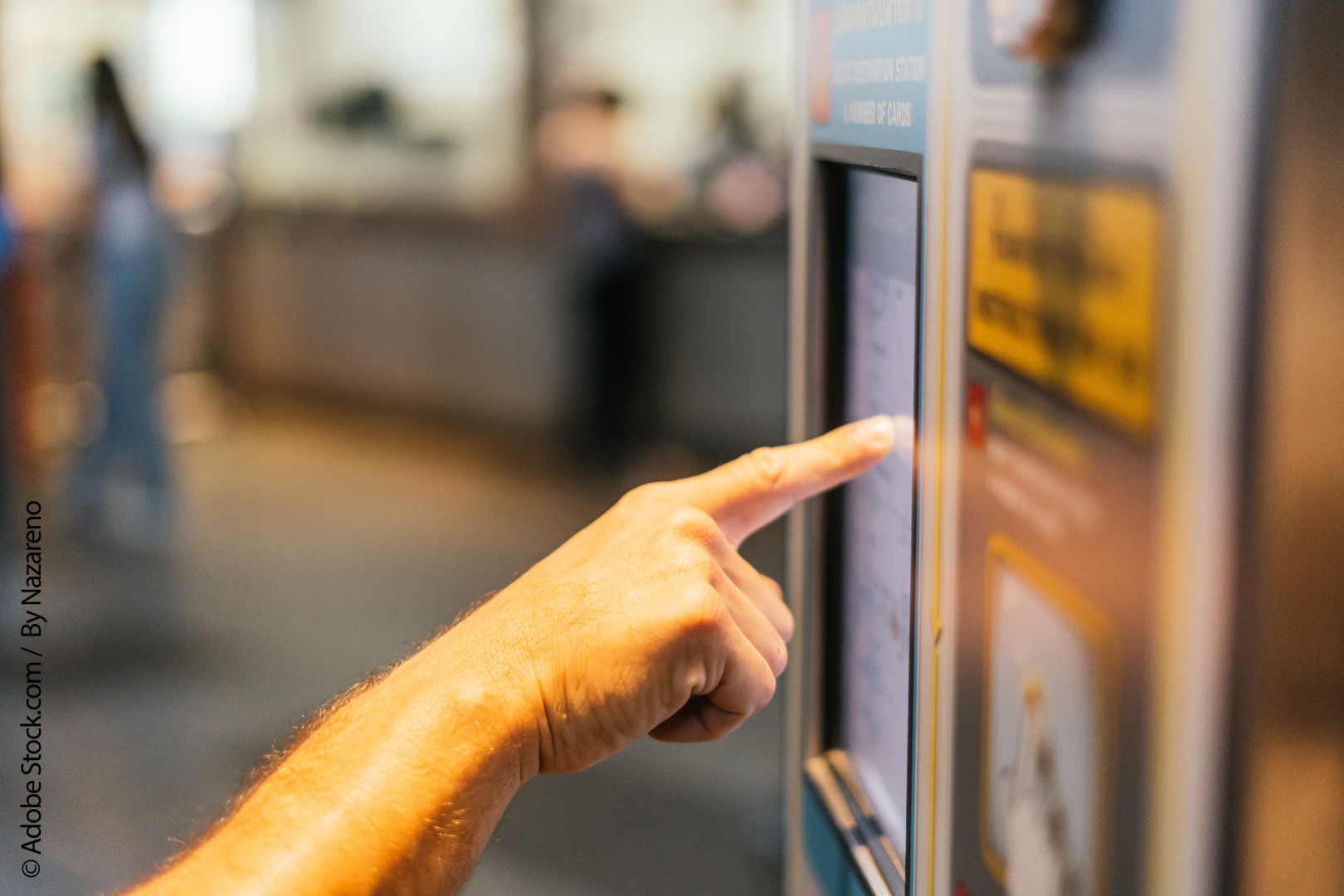

Automotive display modules and touchscreen displays play a central role in modern transport systems. From bus driver consoles and rail passenger information screens to ticketing machines, fleet-management terminals and in-vehicle infotainment, the display must remain readable, responsive and reliable in conditions that are far more demanding than a typical indoor commercial installation.
Choosing the right display is rarely just a question of screen size and resolution. Specifiers need to consider operating temperature, brightness, viewing angle, vibration resistance, touch technology, power consumption and the expected lifecycle of the product. A display that performs well in an office environment may struggle when fitted into a vehicle exposed to sunlight, cold starts, constant vibration and frequent passenger use.
There is also a difference between a driver-facing display and a passenger-facing information system. A driver display may prioritise fast response, reliable touch input and integration with vehicle controls, while a passenger information display needs excellent visibility from multiple angles and consistent performance throughout long operating hours.
This guide explains the main specification points for automotive display modules and touchscreen displays used across public transport, commercial vehicles and passenger information systems.
Automotive Display Specification Comparison Table
|
Requirement |
Why It Matters |
What to Consider |
|
Display brightness |
Ensures content remains visible in daylight and changing ambient light |
High-brightness panels, anti-glare treatment, optical bonding and automatic brightness control |
|
Operating temperature |
Vehicles can experience extreme cold and heat |
Confirm the display’s tested operating and storage temperature range |
|
Touchscreen type |
Affects usability, durability and compatibility with gloves or moisture |
Projected capacitive, resistive or custom touch solutions |
|
Viewing angle |
Passengers may view screens from standing or seated positions |
IPS or wide-viewing-angle LCD technology |
|
Vibration and shock resistance |
Vehicle movement can affect component reliability |
Automotive-grade construction, secure mounting and validated mechanical performance |
|
Display size and aspect ratio |
Determines readability, dashboard fit and enclosure design |
Consider viewing distance, mounting space and content layout |
|
Interface compatibility |
Ensures the display works with the host electronics |
LVDS, eDP, HDMI, MIPI, RGB and controller board requirements |
|
Lifecycle availability |
Reduces redesign risk in long-running transport programmes |
Ask about product longevity, change notifications and supply continuity |
|
Environmental protection |
Helps the unit withstand dust, cleaning and public use |
Front-panel sealing, suitable IP rating and durable cover glass |
|
Power use |
Important for electric vehicles and always-on transport systems |
Backlight power, dimming options and standby requirements |
1. Start With the Operating Environment
The first stage of specifying an automotive display module is to understand where and how it will be used. A display fitted into a coach dashboard has different requirements from a screen mounted above a train door or a touchscreen installed in a ticket-validation terminal.
Vehicle environments introduce a combination of challenges. Temperatures can rise rapidly in direct sunlight, particularly behind a windscreen or inside a sealed enclosure. At the other end of the scale, transport equipment may need to start reliably during cold weather. Condensation, humidity, dust, vibration and electrical interference can also affect long-term performance.
It is important to establish whether the screen will be installed inside the passenger cabin, on an exterior-facing unit, in a driver’s console or within a protected equipment housing. The enclosure design, ventilation, screen orientation and proximity to heating systems all influence the final display specification.
Key Environmental Factors
- Minimum and maximum operating temperature
- Storage temperature during transport and maintenance
- Humidity and condensation exposure
- Direct and indirect sunlight
- Shock and vibration levels
- Dust, cleaning chemicals and accidental impact
- Installation position and enclosure ventilation
Why This Matters
A display should be selected as part of the complete system rather than in isolation. Specifying the environmental conditions early helps avoid common problems such as backlight degradation, poor sunlight readability, touchscreen failures or overheating inside a tightly sealed housing.
2. Specify Brightness for Real-World Visibility
Brightness is one of the most important factors in automotive and passenger information display design. A screen that looks clear in a workshop or office may become difficult to read when exposed to direct daylight.
Brightness is generally measured in candelas per square metre, often written as cd/m² or nits. The right level depends on the installation location. An indoor passenger information display may require a different specification from a driver-facing screen positioned near a windscreen, where glare and changing light levels are more severe.
High brightness alone does not guarantee readability. Reflections from windows, glossy cover glass and surrounding surfaces can reduce contrast. For this reason, display designers often consider anti-glare or anti-reflective treatments, suitable polariser options and optical bonding between the display and cover glass.
Key Features to Consider
- Brightness level appropriate to the mounting location
- Automatic brightness adjustment using ambient light sensors
- Anti-glare or anti-reflective surface treatment
- Optical bonding to reduce internal reflections
- High contrast performance in bright conditions
- Backlight dimming for night-time operation
Why Choose a High-Visibility Design
A well-specified high-visibility display improves the usability of passenger information systems and reduces driver distraction. It also helps ensure essential information, such as route updates, safety messages, vehicle status and ticketing instructions, remains clear throughout the day.
3. Choose the Right Touchscreen Technology
Touchscreen displays are widely used in driver interfaces, route-management terminals, ticketing equipment and onboard service controls. However, touchscreen technology should be chosen according to the user, environment and intended interaction rather than simply selecting the most familiar option.
Projected capacitive (PCAP) touchscreens are common in modern devices because they support multi-touch interaction and offer a responsive, glass-fronted interface. They are often a good fit for passenger-facing systems, provided the design accounts for water exposure, glove use and the thickness of any protective cover glass.
Resistive touchscreens remain relevant in applications where users may wear gloves or where a stylus-based interaction is useful. They can also be a practical option for certain industrial and legacy control systems. The right choice depends on the operating conditions and the user experience required.
Touchscreen Options at a Glance
- Projected capacitive (PCAP): Responsive, supports multi-touch and suits modern user interfaces.
- Resistive touch: Can work with gloves, fingers or styluses and may suit rugged control applications.
- Custom touch integration: Useful where bespoke glass, branding, button areas or unusual shapes are needed.
- Non-touch displays: Often appropriate for passenger information screens where interaction is unnecessary.
Why Choose Touch Technology Carefully
A touchscreen that works perfectly during bench testing may be less effective in service if passengers are wearing gloves, moisture collects on the surface or the display is used with protective equipment. Defining the expected user behaviour before selecting the technology avoids expensive redesigns later.
4. Prioritise Wide Viewing Angles for Passenger Displays
Passenger information systems need to be visible to people standing at different distances and viewing the screen from a range of angles. A display mounted high in a bus, tram or train carriage must remain legible for seated passengers, standing commuters and people approaching from the aisle.
Displays with wide viewing angles help preserve colour, contrast and image clarity when viewed off-centre. This is particularly important where route maps, stop information, accessibility messages or safety instructions need to be understood quickly.
The content design matters as well. Even a technically capable display will be harder to read if the text is too small, the contrast is poor or important information is crowded onto one screen. Display specification and user-interface design should therefore be considered together.
Key Features for Passenger Information Displays
- Wide viewing-angle panel technology
- Clear contrast between text and background
- Suitable font sizes for the viewing distance
- Landscape or portrait orientation based on content
- Consistent brightness across the screen
- Readable layouts for real-time service information
Why It Matters
Transport information is often viewed briefly, while passengers are moving or carrying luggage. A clear panel with a well-designed layout supports accessibility and makes it easier for passengers to find the information they need without delay.
5. Account for Vibration, Shock and Mechanical Integration
Automotive displays operate in a mechanically demanding environment. Road surfaces, braking, door movements, engine vibration and daily vehicle use can place stress on the panel, connectors, touchscreen assembly and mounting frame.
The display itself needs to be paired with a suitable mechanical design. This includes secure mounting points, appropriate gasketing, strain relief for cables and careful consideration of how the display is fixed within the dashboard or enclosure. A panel that is not adequately supported may flex, loosen or develop intermittent connection issues over time.
Screen size and weight also influence mounting requirements. Larger passenger displays may need additional structural support, particularly when installed overhead or in areas exposed to vibration.
Mechanical Considerations
- Vibration and shock requirements for the vehicle type
- Mounting points and chassis support
- Connector retention and cable strain relief
- Enclosure rigidity and thermal expansion
- Cover-glass thickness and impact resistance
- Ease of removal for maintenance or replacement
Why Choose a System-Level Approach
A robust display installation depends on more than the LCD panel. Considering the mechanical assembly from the outset can improve reliability, simplify servicing and reduce the risk of field failures caused by loose fixings or damaged connectors.
6. Plan the Electrical and Interface Requirements
Automotive display modules need to work reliably with the host processor, graphics hardware and vehicle power system. Before choosing a panel, confirm the required display interface, resolution, refresh rate, supply voltage and control method for the backlight.
Common interfaces include LVDS, eDP, HDMI, MIPI and RGB, although the right option depends on the system architecture. In some applications, a display controller board may be needed to convert between interfaces or provide additional functions such as touch control, dimming and video scaling.
Vehicle power can be less stable than a standard mains-powered indoor installation. Protection against voltage variation, electrical noise and transient events may be necessary as part of the wider hardware design.
Electrical Specification Checklist
- Display interface and connector type
- Resolution and refresh-rate requirements
- Backlight voltage and current
- Touch controller interface, such as USB or I²C
- Dimming method and ambient-light sensor support
- Power sequencing requirements
- Electromagnetic compatibility considerations
- Protection for vehicle power conditions
Why This Should Be Confirmed Early
Interface mismatches and power-design issues can delay a project, particularly where a bespoke enclosure or PCB has already been developed. Involving display engineering specialists during the design phase can reduce integration risk.
7. Consider Lifecycle, Supply Continuity and Change Control
Transport and automotive projects often have longer lifecycles than consumer electronics. A passenger information system may remain in service for years, while fleet operators need replacement parts that are compatible with existing installations.
This makes supply continuity a significant factor when choosing automotive display modules. A panel selected purely on short-term availability or unit cost may create difficulties if it is discontinued or changed without enough time to redesign the system.
Ask suppliers about the expected lifecycle of the product, processes for end-of-life notifications and whether alternative panels can be qualified in advance. It is also useful to understand whether the supplier can support customisation, mechanical integration and future revisions.
Questions to Ask Suppliers
- What is the expected availability period?
- How are product-change notifications managed?
- Is there an approved alternative display option?
- Can the panel be customised for glass, touch or mounting?
- Is technical support available during integration?
- Can the display assembly be supplied as a complete solution?
Why Lifecycle Planning Is Essential
Long-term planning helps fleet operators and equipment manufacturers avoid unnecessary redesigns, inconsistent replacement parts and avoidable downtime. It is especially important for transport systems that must be maintained across large vehicle fleets.
8. Work With a Display Partner That Understands Integration
In many projects, the most effective route is not simply buying a standard display panel. A specialist display partner can help turn a panel into a suitable transport-ready assembly by advising on touchscreen selection, cover glass, optical bonding, controller boards, mechanical integration and environmental requirements.
Densitron supplies display technologies and human-machine interface solutions for a range of industrial and transport-related applications. Its product offering includes display modules, touchscreen solutions and custom display integration, making it a relevant option for teams developing vehicle electronics or passenger information systems. You can explore its display and HMI capabilities at Densitron.
The value of specialist support is particularly clear where the project has unusual size requirements, needs a branded front surface, requires bespoke interfaces or must fit within a restricted dashboard or enclosure space.
Key Services to Look For
- LCD and OLED display module selection
- Touchscreen and cover-glass integration
- Optical bonding and anti-glare treatments
- Display controller boards and interface support
- Mechanical and enclosure guidance
- Custom HMI and embedded display solutions
- Lifecycle and supply-chain planning
Why Choose an Integration-Focused Supplier
A supplier with engineering knowledge can help balance performance, cost, manufacturability and long-term availability. This is often more useful than selecting a panel from a catalogue without considering how it will perform in the finished vehicle or passenger information unit.
Buying Guide: What to Consider Before Choosing an Automotive Display Module
Start by defining the display’s purpose. A driver display, passenger information screen, ticketing terminal and rear-seat entertainment system each have different priorities. Write down the essential functions, the intended user, the mounting location and the type of information that will appear on screen.
Do not select a display based on diagonal size alone. Screen size needs to be considered alongside resolution, viewing distance and content. A compact high-resolution display may suit a detailed driver interface, while a larger screen with clear text and strong contrast may be more effective for passenger route information.
Brightness and optical performance deserve close attention. It is a common mistake to assess a display under indoor lighting only. Where a screen may face daylight, specify appropriate brightness, surface treatment and dimming control. Test samples in conditions that reflect the real installation whenever possible.
Touch requirements should also be based on genuine user behaviour. Consider whether users will wear gloves, whether water or cleaning fluids may reach the screen and whether multi-touch gestures are necessary. For many passenger information applications, a non-touch display may be simpler, more robust and more cost-effective than an interactive screen.
Finally, think beyond the initial installation. Check the product lifecycle, availability of spares, repair strategy and compatibility with future system updates. A slightly more considered specification at the start can reduce maintenance and redesign costs over the lifetime of a transport programme.
Frequently Asked Questions
What is an automotive display module?
An automotive display module is a screen designed or selected for use in vehicles and vehicle-related equipment. It may be used in dashboards, driver-control systems, passenger information displays, ticketing terminals, cameras, navigation units or fleet-management devices.
What brightness level is needed for a vehicle display?
The required brightness depends on where the display is mounted and how much daylight it receives. Screens positioned near windscreens or in sunlit passenger areas typically need higher brightness and glare reduction than displays installed in protected interior equipment compartments.
Are projected capacitive touchscreens suitable for public transport?
They can be suitable for public transport systems, particularly where a modern multi-touch interface is required. However, the design should account for moisture, gloves, cleaning routines, cover-glass thickness and the risk of accidental impact.
Why is optical bonding useful for transport displays?
Optical bonding fills the air gap between the display panel and cover glass with a clear material. This can reduce internal reflections, improve perceived contrast and support readability in bright environments. It may also improve the mechanical stability of the assembly.
How long should an automotive display be available?
Availability requirements vary by project, but transport and automotive systems often need a longer product lifecycle than consumer devices. It is sensible to discuss expected availability, product-change notifications and replacement options with the supplier before finalising a design.
What is the difference between a driver display and a passenger information display?
A driver display is generally designed for fast, close-range interaction and may show vehicle status, navigation or operational controls. A passenger information display is usually viewed from further away by multiple people, so wide viewing angles, large text, clear contrast and continuous reliable operation are often more important.